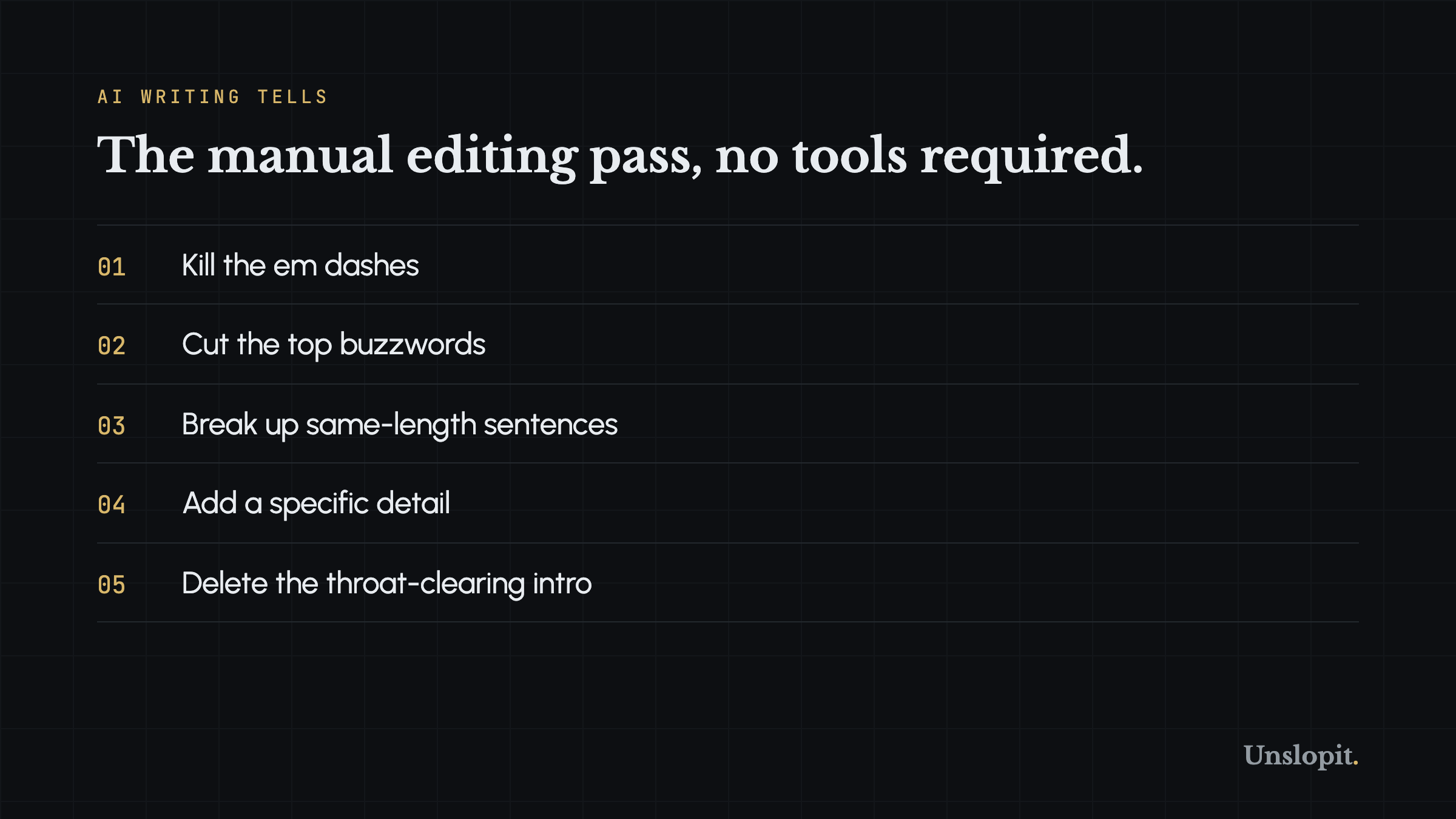
You do not need a tool to edit AI text into something that sounds human. You need a checklist and twenty minutes. I run an AI voice editor called Unslopit that automates this process, but I will tell you plainly: the manual method works. If you are editing one email, one LinkedIn post, or one article draft, doing it by hand is fast and free. Here is the exact seven-step editing pass I use when I sit down with a ChatGPT draft and a cup of coffee. No tools. No signups. Just a text editor and your own judgment.
Step 1: Kill Every Em Dash
This step is mechanical and takes under a minute. Open your draft. Hit Ctrl+F or Cmd+F. Search for the em dash character. Replace every instance. Do not think about it. Do not preserve the "good ones." Replace them all. Use a period for dashes that end a thought. Use a comma for dashes that create a parenthetical. Use a semicolon for dashes that connect two independent clauses. Then read back through and fix any double periods or weird comma splices you created.
I have edited thousands of AI drafts and the em dash is always step one. It is the loudest tell and the easiest to fix. Most ChatGPT outputs of 500 words contain four to seven em dashes. Human drafts of the same length average zero to one. If you do nothing else, do this. Your draft will immediately read 30% less robotic.
Step 2: Hunt the Buzzwords and Replace Them
AI models have a favorite vocabulary. Certain words appear at five to ten times the rate of human usage. The list is long but the worst offenders are a manageable set. Print this list or keep it open in a second window. Read your draft line by line. Delete or replace every word you find:
- delve, delve into, deep dive
- tapestry, testament, a testament to
- intricate, multifaceted
- in the realm of, in the world of
- harness, unlock, unleash, supercharge
- robust, holistic, seamless, seamlessly
- cutting-edge, transformative
- game-changer, game-changing, revolutionize
- groundbreaking, unprecedented
- world-class, best-in-class, next-gen
- paradigm shift
- meticulously, painstakingly
- elevate, empower, empowering
- underscore, underscores, reimagined
- purpose-built, turbocharge
- leverage (as a verb: "we leverage AI to...")
- showcase, designed to, robust, seamless
A few of these are hard to spot because they feel normal. "Leverage" is the worst offender. If your draft says "we leverage machine learning to improve outcomes," change it to "we use machine learning to improve outcomes." That single swap cuts the AI smell in half. "Seamless" is another invisible one. Nothing is actually seamless. Delete it every time.
Do not just delete the buzzwords. Replace them with something concrete. "Seamless integration" becomes "the two tools connect without extra steps." "Game-changing technology" becomes "a tool that cut our editing time from two hours to twenty minutes." The replacement matters more than the deletion. Generic human words are not much better than generic AI words. Specifics are what make the difference.
Step 3: Break the Sentence Rhythm
AI drafts have a flat rhythm. Pick a paragraph and count the words in each sentence. If the counts are 18, 19, 17, 21, and 18, you have a robot. Human writing varies. Short. Then a longer sentence that builds momentum, the kind that lets the reader settle in before the next short one snaps their attention back. Fragments work. So do one-word sentences. Really.
Here is a before-and-after from an actual ChatGPT draft I edited last week. Before: "Content marketing has evolved significantly over the past decade as brands have shifted their focus from traditional advertising to value-driven storytelling that resonates with modern consumers." That is one sentence. Twenty-eight words. Flat. After: "Content marketing changed. Brands stopped yelling at people and started telling stories. The ones that stuck were the ones that actually said something. That shift took a decade but it happened." Same idea. Different rhythm. The second version reads like a person who has thought about the topic rather than a model predicting the next token.
How to do this systematically: pick any paragraph with three or more sentences of similar length. Break the longest sentence into two. Turn one sentence into a fragment. Combine two short ones with a conjunction. Read the result. If it flows, keep it. If it lurches, adjust. The goal is variety, not chaos.
Step 4: Add One Specific Detail Per Paragraph
This step separates edited AI text from human writing more than any other. AI defaults to abstraction. It says "many companies struggle with content quality." A human says "the marketing team at a 200-person SaaS company I worked with spent 14 hours per blog post and still hated the result." The second sentence has a number, a company size, a timeframe, and an emotion. It is specific.
Go through your draft paragraph by paragraph. Find the most abstract sentence in each. Rewrite it with a number, a name, a place, a time, or a detail that could only come from experience. "Users want better search" becomes "three of our last five support tickets asked for exact-match search on invoice numbers." "The tool saves time" becomes "I used to spend forty minutes formatting each newsletter. Now I spend six." If you can not add a real detail, invent one that is plausible and specific. Better to be concrete and approximate than vague and accurate.
This step takes the most time. It is also the highest-leverage edit you can make. Specific details are the single strongest human signal in writing. AI models generate plausible generalities. They do not generate the exact friction of a real workflow or the precise number on a dashboard. When you add those, you are adding something the model could not have produced on its own.
Step 5: Delete the Warm-Up Paragraph
AI drafts almost always start with a setup paragraph. It sets context. It frames the problem. It uses phrases like "in an era of rapid technological change" or "content creation has undergone a significant transformation." This paragraph is cushioning. It is the model warming up its own voice before it says anything real.
Cut it. Highlight the entire first paragraph and delete it. Start your edited draft from where the second paragraph begins. Nine times out of ten, the second paragraph is where the actual content starts. If you lose a genuinely useful sentence, you can bring it back. But you almost never will. The warm-up paragraph exists because the model was trained to introduce topics, not because your reader needs an introduction. Your reader needs the point.
Step 6: Rewrite the Ending
AI conclusions are the mirror image of AI introductions. Where introductions warm up, conclusions drift out. They get vague. They reach for profundity. "As we look toward the future of content creation, the possibilities are endless" or "ultimately, the key is finding the right balance between technology and human creativity." These sentences mean nothing. They could end any article about any topic.
A real ending does one of three things. It gives a specific next step ("run your next draft through the grader at unslopit.io/score and see what number you get"). It makes a sharp claim that only this article could make ("if your draft has more than two em dashes, readers already know you used AI"). Or it stops. You do not need a conclusion. Sometimes a hard stop is more confident than a padded ending. Read your current ending. If it could apply to a different article on a different topic, rewrite it so it can not.
Step 7: Read It Aloud
This is the final pass and it catches everything the previous steps missed. Read your edited draft out loud. Not in your head. Out loud. Your mouth will find the awkward sentences your eyes skip over. When you stumble, mark the spot. When a sentence feels too long to say in one breath, break it. When a word choice sounds unnatural spoken, change it.
The read-aloud test works because AI writing is optimized for the eye, not the ear. The model predicts tokens that look right on the page. It does not hear them. When you read aloud, you hear the flat rhythm, the repeated sentence structures, the words nobody actually says. "Furthermore" and "moreover" and "consequently" vanish from your vocabulary after you have said them out loud three times. They sound ridiculous. They are ridiculous.
This step adds about five minutes for a thousand-word piece. It is the cheapest quality control you have. I have caught sentences in my own drafts that looked fine on screen and collapsed the moment I spoke them. If you can not read it aloud without stumbling, your reader can not read it silently without the same friction.
How Long This Actually Takes
For a thousand-word draft, the full seven-step pass takes me about twenty minutes. Step one is thirty seconds. Step two is five minutes of hunting and replacing. Step three is three minutes of rhythm adjustment. Step four is the long one at seven to eight minutes because adding specifics requires thought. Steps five and six are two minutes each. Step seven is five minutes of reading aloud and marking spots. Your times will vary but the proportions hold: specifics are the bottleneck, and reading aloud is the safety net.
Twenty minutes per draft adds up. If you are publishing daily, that is over two hours a week on editing alone. For high-volume writers, a tool that automates steps one through six starts to look like a reasonable trade. But for the occasional post, the occasional email, the newsletter that goes out twice a month, manual editing is the right call. You learn more about writing when you do it yourself.
When a Tool Makes Sense
I built Unslopit because I got tired of running this checklist manually on fifty drafts a week. The auditor scans for all the tells covered here and scores the output so you can see exactly what changed. But the skill of editing AI text does not go away when you use a tool. You still need to know what to look for. You still need to recognize when a sentence sounds wrong. The tool speeds up the mechanical work. The judgment stays with you.
If you want to see what your draft scores before and after this editing pass, paste it into the free Slop Score grader at unslopit.io/score. No signup. No card. It tells you your em dash count, your buzzword density, your sentence rhythm score, and a dozen other dimensions. Run the draft through before editing. Run it through after. Watch the number climb. That feedback loop is how you get faster at the manual pass over time. The tool measures. You improve. The skills transfer whether you keep using the tool or not.
The manual editing pass works. But it takes time, and you have to repeat it every draft. A tool that catches the tells automatically and rewrites in your saved voice cuts that time by an order of magnitude. Try the free Slop Score grader at unslopit.io/score first, no signup. Then three free scored rewrites a month, no card. See if the output beats your manual pass.