Why Every LinkedIn Post Sounds the Same
Scroll LinkedIn for five minutes. You will see the same post 40 times. An emoji-bullet list. A hook that opens with a fake confession. A story about someone crying in a meeting or quitting on the spot. A closing line that asks you to agree or drop your thoughts below. These posts sound identical because they are. They share a template. And that template is AI-generated, whether the person used ChatGPT or just internalized the format so deeply they reproduce it manually.
The problem is not that people use AI to draft LinkedIn posts. The problem is that the output is so uniform you can identify it from the first line. Readers have learned the template too. They scroll past. They mute. They associate your face with generic content and stop seeing you as a real operator. If your goal is to build a professional presence, sounding like the feed average is the fastest way to disappear into it.
The Template to Stop Using Immediately
Here is the formula that has taken over LinkedIn. Every part of it is a signal that the writer either prompted an LLM or copied someone who did.
1. Emoji Bullet Lists
Every sentence gets its own emoji prefix. A checkmark. A rocket. A lightbulb. A fire emoji for emphasis. This format came from power users who used bullet structure to make skimmable posts. It worked. Then AI models learned that this format correlates with high engagement and started defaulting to it for every professional post. Now the emoji bullet is a dead giveaway. When every line starts with an icon, your post looks like a vending machine sold it.
2. The Negation-Elevation Hook
You know the pattern. "It is not about working harder. It is about working smarter." "Content is not king. Distribution is king." "AI will not replace you. Someone using AI will." This structure signals that the writer reached for the most predictable framing available. The negation half sets up a strawman no one was defending. The elevation half delivers a platitude dressed as insight. Both halves come straight from the language model's most-probable-next-token drawer.
3. The Fake-Vulnerable Story
A candidate broke down crying during an interview. A junior employee corrected the CEO and everyone clapped. A freelancer fired a toxic client and their revenue doubled the next month. These stories follow a script. The tell is the level of detail. Real stories have specific names, dates, numbers, and moments that do not resolve neatly. AI-generated vulnerable stories have the opposite. Generic characters. Clean arcs. A lesson at the end that wraps everything in a bow. Readers can feel the difference, even if they cannot name it.
4. Engagement Bait in the Closing Line
"Agree?" "Thoughts?" "Drop a comment below." "Tag someone who needs to hear this." These closings are not invitations to discuss. They are algorithmic levers. The model learned that posts ending with a question get more comments, so it appends one mechanically. Real humans end posts when the idea is done. Sometimes that means the post just stops. No bow. No question. Just the point.
If you can paste your LinkedIn post into ChatGPT and ask 'rewrite this in your voice' and it comes back almost identical, you wrote the template.
What to Write Instead
The fix is simpler than people think. You do not need to be a talented writer. You need to stop copying what the feed rewards and start writing what you actually think. Here is how.
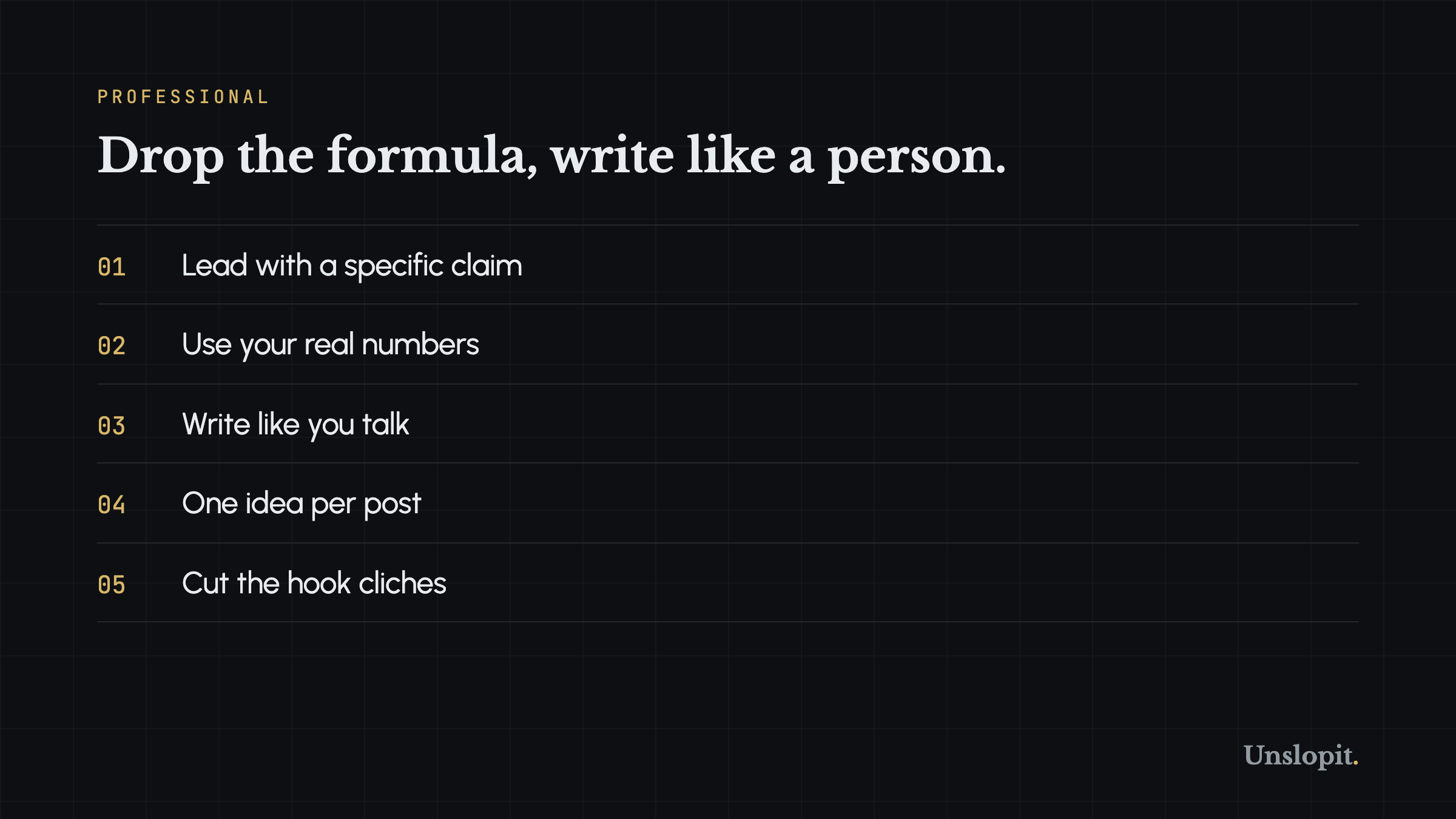
Lead With a Specific Claim
Skip the warmup. Skip the context paragraph that explains why the topic matters. Your first sentence should be the point. "I ran 47 A/B tests on cold email subject lines last quarter. Here is the only variable that moved reply rates." That opening works because it tells me who you are, what you did, and why I should keep reading. All in 23 words. A generic opening like "Cold email is a powerful channel for B2B outreach" tells me nothing and wastes my scroll.
Use Your Real Numbers and Stories
Real numbers are the single strongest defense against AI-sounding content. Language models hallucinate data. They invent percentages and round them to 20, 50, or 80. You have actual numbers from your work. Use them. "We shipped 14 features last year. 3 of them accounted for 80 percent of user-reported bugs." That sentence cannot come from a model because the model does not have your bug tracker. Specificity is authenticity. It is also unstealable.
Write Like You Talk
Read your post out loud. Does it sound like something you would say to a colleague over coffee? Or does it sound like a press release from a company you do not work at? Most AI-generated LinkedIn posts sound like the second thing. Formal, padded, performatively professional. Your talking voice is looser. It uses contractions. It starts sentences with "and" or "but" or "so." It uses fragments. It swears occasionally if you swear occasionally. Write in that voice. The people who follow you want to hear from you, not from a sanitized corporate version of you.
This sounds obvious. Most people still do not do it. The reason is fear. Fear that writing the way you talk will look unprofessional. Fear that your colleagues will judge you. Fear that the algorithm will not reward it. The second two fears have some basis. Some colleagues will judge you. And algorithmic reach does favor certain formats. But the first fear is backwards. Writing the way you talk is what makes you readable. Sameness makes you skippable. The people who stand out on LinkedIn are the ones who sound like themselves, not the ones who sound like the feed.
A practical trick: dictate your first draft into your phone. Talk through the idea as if you were explaining it to a friend in a voice note. Transcribe it. Clean up the transcription by deleting the ums and false starts, but leave the sentence structure alone. You will get something that sounds like you, because you literally said it.
One Idea Per Post
AI-generated LinkedIn posts often try to cover a topic comprehensively. Seven tips. Five lessons. Three frameworks. That is a blog post, not a social post. A LinkedIn post works best when it makes one point clearly and stops. Pick your sharpest thought. State it. Support it with one example or number. End it. If you have more to say, write another post tomorrow.
Cut the Hook Cliches
Stop using these openers. Every single one of them has been used thousands of times and now reads as AI slop: "Unpopular opinion." "Hot take." "I wish someone told me this." "The one thing nobody talks about." "Stop doing X. Do Y instead." "X is dead. Here is what is replacing it." These hooks worked when they were fresh. They are not fresh anymore. They are wallpaper. Your post should start with an idea, not with a packaging format that already exhausted its novelty.
Before and After: A Real Post Rewritten
Here is a LinkedIn post that follows the template. Then the same idea rewritten to sound like a human.
Before (AI Template)
- Unpopular opinion: Hiring for culture fit is destroying your team.
- I learned this the hard way. Three years ago, I fired our top performer. The team was devastated. I walked out of the office that night and sat in my car for 45 minutes.
- Here is what I realized: Culture fit is not about finding people like you. It is about finding people who make your culture better.
- Since changing our approach, revenue grew 3x. Retention improved by 40 percent. And our Glassdoor rating hit 4.7.
- Stop hiring for fit. Start hiring for contribution.
- Thoughts? Drop them below.
After (Human)
- We hired three people last year who interviewed terribly and turned out to be our best decisions.
- One of them showed up late, answered every question with short clipped responses, and asked zero questions back. I nearly passed. My cofounder pushed to give him a trial project instead. He shipped more in two weeks than some of our full-time engineers shipped in a quarter.
- I think I have been screening for the wrong thing. I was looking for people who interview well. Smooth talkers. Good storytellers. People who made me feel smart for hiring them.
- The people who actually move the business forward do not always present well. They sometimes hate interviewing. They are awkward in the first ten minutes. They answer the question you asked instead of the question they prepped for.
- We changed our process. Shorter screening calls. Paid trial projects instead of five-round gauntlets. And a rule: no rejecting a candidate because they did not 'feel like a fit' in the first conversation.
- The result is not dramatic. A few hires we would have missed. A faster pipeline. Less second-guessing. That is enough for me.
The first version is a template with names removed. Generic story. Neat numbers. Formulaic hook. Engagement bait closer. The second version is specific. It names the problem (interviewing well is not the same as working well). It describes an actual process change. The numbers are absent because they were probably made up in the first version anyway. The ending does not ask for engagement. It just states what happened.
How to Check Your Own Posts
Before you hit post, run this three-question checklist. Did I lead with a specific claim or a cliche hook? Does this sentence structure match how I actually talk? Would this post still make sense if someone else's name were on it? If the answer to any of these is wrong, rewrite. The goal is not perfection. It is recognizability. When people see your name in the feed, they should know what your writing sounds like before they read the byline.
You can also run a draft through the free Slop Score grader at unslopit.io/score. It checks em dash density, buzzword frequency, scaffold phrases, and specificity. If your LinkedIn post scores low on specificity, you know you need real numbers instead of generic claims. No signup. No credit card. Just a number and a breakdown.
LinkedIn posts that sound like AI all share the same root cause. The writer stopped being the writer and became a prompt engineer. They asked a model to generate a post about a topic, accepted the output, and hit publish. The fix is not to write every word from scratch. The fix is to stay in control of the voice. Use AI to rough out structure if you want. But the sentences, the stories, the specific details, and the rhythm need to be yours. When your name is on the post, your voice needs to be in the words. Otherwise the feed has already read it 40 times today.
Write first. Edit later. The voice is already yours. If you want to check whether a draft reads as human or as slop, paste it into the free grader at unslopit.io/score. No signup, no card. If the score is low, three free rewrites a month will show you what a voice-matched version looks like.