The number one thing people ask me is how to make ChatGPT write like them. Not like a "human." Not like a "warm professional." Like them. Specifically. The person who writes Slack messages in sentence fragments and ends emails with "thx" instead of "best regards." I get it. I run a studio where I read AI drafts all day, and the gap between "sounds human" and "sounds like me" is where most of the frustration lives.
The generic ChatGPT voice is easy to spot. It uses words nobody actually says in casual writing. It structures every paragraph like a five-paragraph essay. It loves semicolons. If you paste a ChatGPT draft into a group chat, people notice. If you post it on LinkedIn, people notice. If you send it to a client, they might not say anything, but they feel it. That slight uncanny-valley quality where the writing is technically fine but feels like a stranger wrote it.
This article is a real step-by-step. I am going to walk through exactly how to extract your voice patterns, build custom instructions that work, and deal with the drift problem that nobody talks about. Plus a custom-instructions block you can copy and adapt today.
Why ChatGPT Defaults to Generic (and Why 'Sound More Human' Fails)
Before the fix, understand the problem. ChatGPT was trained to produce writing that scored well with human raters. Those raters rewarded clarity, structure, and a neutral-professional tone. The result is a statistical average: the voice of nobody in particular, flattened across millions of preferences. When you ask it to "sound more human," it dials up a different average. More contractions. A few sentence fragments. Maybe a joke. Still not you.
There is a Reddit thread I think about constantly. Someone wrote: "I don't want ChatGPT to sound human. I want it to sound like the version of me that actually replies to emails on time." That is the real demand. Specificity, not warmth.
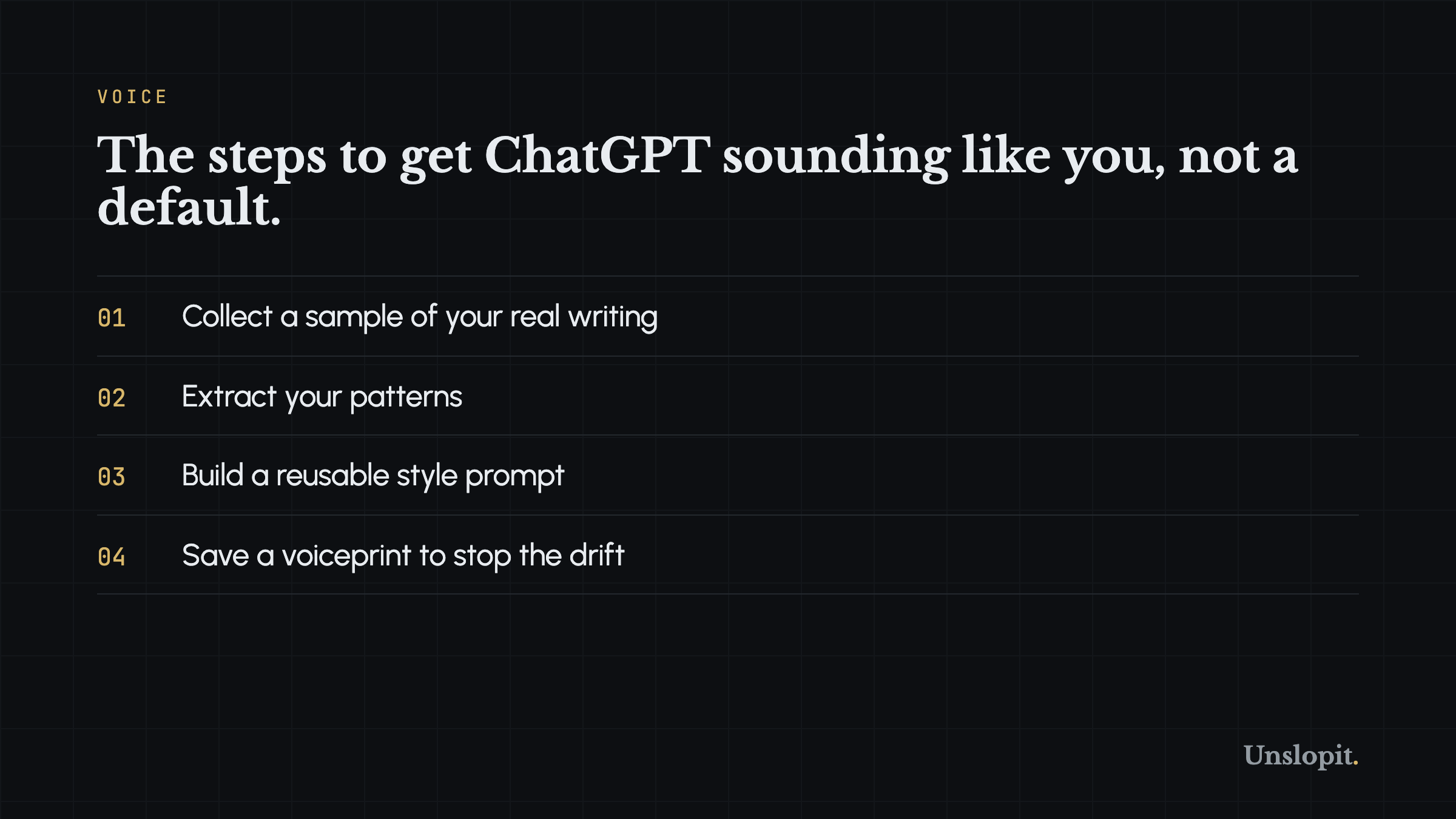
Step 1: Collect a Real Writing Sample (500+ Characters)
Do not write a sample for this purpose. If you sit down and try to write "how you write," you will overthink it and produce something that sounds like a job application. Collect existing writing. Real writing. The stuff you actually sent.
Here is what I use: grab 3 to 5 emails you sent to colleagues (not clients, not your boss, people you are comfortable around), 5 to 10 Slack or Discord messages, and maybe a few tweets or LinkedIn posts if you write those. The goal is 500 to 1,000 characters of authentic, unpolished you. Typos are fine. Fragments are good. If you end every message with "lmk" instead of "let me know," that is gold.
Avoid: formal documents, anything you edited heavily, anything you wrote trying to impress someone. You want your default register. The voice you use when you are not thinking about voice.
Step 2: Extract Your Real Patterns, Beyond 'I'm Casual'
Read your sample and write down what you actually see. Not what you think your style is. What the text shows. Here is a checklist.
- Average sentence length: count words across 10 sentences and divide. Do you write in short bursts (5-8 words) or longer clauses (15-25 words)?
- Punctuation habits: do you use parentheses? Exclamation points? How many? Do you avoid semicolons entirely or use them?
- Opening style: do you start with a greeting? Jump straight in? Use the person's name?
- Closing style: what is your sign-off pattern? "Best," "Thx," "Talk soon," nothing at all?
- Vocabulary patterns: list 5-10 words or phrases you use constantly. For me it is "yeah," "solid," "the thing is," and I start a lot of sentences with "So" or "But."
- Contractions: do you use them heavily, selectively, or avoid them?
- Paragraph length: one-sentence paragraphs or dense blocks?
- Humor/edge: do you use sarcasm? Dry understatement? Self-deprecation? None?
Write these down as a bullet list. Be specific. "I am casual" is useless to an AI. "I write sentences of 6-14 words, I use 'yeah' and 'solid' as filler, I never use semicolons, and 80% of my paragraphs are 1-2 sentences" is usable.
Step 3: Build Your Custom Instructions (Copy This Template)
Open ChatGPT, go to Settings, Personalization, Custom Instructions. In the "How would you like ChatGPT to respond?" section, paste something like the block below. Replace my patterns with yours.
That last part, pasting your actual writing sample, is the most important step. The style rules give ChatGPT a map. The sample gives it terrain. Without the sample, it guesses. With the sample, it has concrete examples of your cadence.
Step 4: The Drift Problem (Why This Breaks Down)
Here is the thing nobody tells you. Custom instructions work for maybe three paragraphs. Then ChatGPT drifts.
I have tested this extensively. Give it great custom instructions and a 1,000-character sample. Ask for a 500-word email in your voice. The first two paragraphs will sound like you. By paragraph four, the em dashes creep back. By paragraph six, you are reading "it is not just about efficiency, but about fostering a culture of collaboration" and wondering what happened.
The reason is token distance. ChatGPT processes instructions at the start of the context window. As your output gets longer, the model's attention drifts toward its default training distribution. Your custom instructions are still technically there, but they have less and less influence against the gravitational pull of the model's statistical priors.
This is why people get frustrated. They spend an hour crafting perfect custom instructions, test it on a short paragraph, think it works, then use it for a real draft and get generic slop. They blame themselves. They should not. The tool is just bad at holding a voice over distance.
Step 5: How a Saved Voiceprint Solves the Drift
A voiceprint is a different approach. Instead of instructing the model to sound like you and hoping it holds, the voiceprint actively constrains the output against your patterns. Think of it like a style linting layer that checks each paragraph against your rules: sentence length, banned words, punctuation habits, rhythm. The output gets scored, flagged if it drifts, and pulled back toward your voice.
This is what Unslopit does. You provide a 500+ character writing sample. The system extracts your patterns automatically: average sentence length, word choices, punctuation style, opener and closer habits. Then when it rewrites an AI draft, it does two things. It strips the slop (em dashes, buzzwords, scaffold phrases, copula inflation, the whole list from our auditor). And it re-voices the draft in your saved patterns.
The output gets two honest scores: an anti-slop score (0 to 20) and a voice match score. If the anti-slop score drops, the draft has drift. If the voice match drops, it stopped sounding like you. Both scores are deterministic, not vibes. This is the difference between hoping ChatGPT stays on the rails and knowing it did.
Manual Fallback: Chunk and Refresh
If you are sticking with raw ChatGPT for now, here is the workaround that actually works. Do not ask for a 1,000-word draft in one shot. Break it into chunks. For each chunk, paste a short version of your style rules at the top of the prompt.
Example workflow: write three paragraphs. Then start the next prompt with "Continuing, same voice: [brief style reminder]." Then write the next three. This keeps your style constraints inside each prompt's effective attention window. It is tedious. But it works better than one long prompt followed by drift.
The Three Mistakes That Kill Voice Training
Before you go build a voiceprint, here are the three things I see people do wrong most often.
Mistake one: using polished writing as the sample. Your edited blog posts and client emails are not your voice. They are your voice after you cleaned it up. The AI learns the cleaned version, which is close to you but flatter. Then when it generates text, it generates the flatter version. Garbage in, garbage out works in reverse here. Good in, too good, garbage out.
Mistake two: over-specifying. People write custom instructions that read like legal contracts. "Use contractions 73% of the time. Never use semicolons. Avoid adjectives rated above 4 on the formality scale." The model cannot follow rules this granular. It gets confused and defaults to generic. Give it patterns and examples, not quotas.
Mistake three: testing on the wrong task. You set up custom instructions, test them on a casual email, and it works. Great. Then you ask for a white paper and it falls apart. Your voice changes by context. The way you write a Slack message is not the way you write a strategy doc. A single voiceprint should cover your default register. For formal contexts, you need a separate voiceprint or a style modifier. One voice to rule them all does not work because you do not have one voice.
What About 'Write Like Me' Features in Other Tools?
Some AI writing tools claim to learn your voice. Most of them are doing a light version of the custom-instructions approach: they analyze a sample, produce a style prompt, and feed it to the model. Same drift problem. Same statistical pull back toward the mean. If you see a tool promising to write like you but it cannot show you a score proving it matched your patterns, assume it is a custom-instructions wrapper.
Jasper has a brand voice feature. Claude has projects with custom instructions. ChatGPT has memory. All of them drift. The problem is not the quality of the instruction. It is the architecture of how language models attend to instructions over long generations.
The Specificity Principle: Your Voice Is Details, Not Vibes
One last thing. When people say they want AI to sound like them, they usually mean they want it to sound specific. Not generically human. Not generically professional. Specific in the way they are specific.
The most successful AI-to-human rewrites I see share one quality: they include details the writer would actually use. A client's name in the opening line. A reference to last week's meeting. A specific number they actually looked up. The AI cannot fabricate these (and should not try). But when you add them to an AI draft that is already in your voice, the combination is powerful. Pattern-matched voice plus real-world specificity reads as authentic because it is authentic.
Your voice is not a set of abstract adjectives. It is concrete habits. Sentence length. A handful of words you use too much. Where you put the period. Get those right and the rest follows.
Get a Free Anti-Slop Score
If you want to know how much slop is in your writing right now, run it through the free Slop Score grader at unslopit.io/score. No signup. No card. It checks for em dashes, buzzwords, scaffold phrases, copula inflation, rhythm problems, and specificity, then gives you a score from 0 to 20. If you score below 18, the report tells you exactly what to fix. Try it on your last ChatGPT draft. The results might surprise you.